MC-RISE Tutorial
Introduction
Table of Contents
Miscellaneous
License for test image used may be found in ‘COCO-LICENSE.txt’.
References
Hatakeyama, Y., Sakuma, H., Konishi, Y., & Suenaga, K. (2020). Visualizing color-wise saliency of black-box image classification models. In Proceedings of the Asian Conference on Computer Vision.
To run this notebook in Colab, use the link below:

Note for Colab users: after setting up the environment, you may need to “Restart Runtime” in order to resolve package version conflicts (see the README for more info).
Set Up Environment
import sys  # noqa: F401

!{sys.executable} -m pip install -qU pip
!{sys.executable} -m pip install -q xaitk-saliency
!{sys.executable} -m pip install -q "torch>=1.9.0"
!{sys.executable} -m pip install -q "torchvision>=0.10.0"
!{sys.executable} -m pip install -q transformers
The Test Image
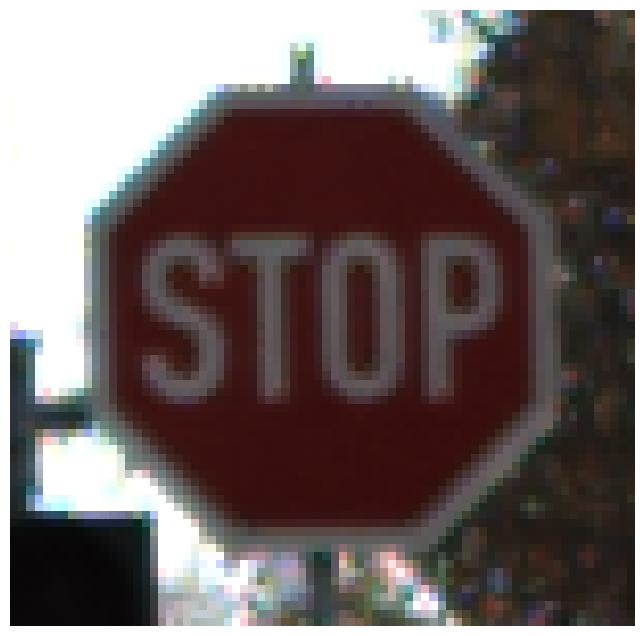
We will test this application on the following image.
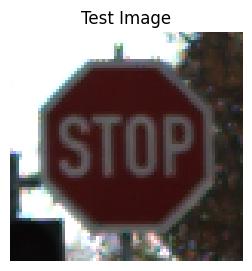
We know that this image contains the GTSRB dataset class: Stop.
import os
import urllib.request

import matplotlib.pyplot as plt
import PIL.Image

# Use JPEG format for inline visualizations here.
%config InlineBackend.figure_format = "jpeg"

test_image_filename = "data/gtsrb_sample_img.png"
# Create the data directory if it doesn't exist
os.makedirs(os.path.dirname(test_image_filename), exist_ok=True)
urllib.request.urlretrieve(
    "https://data.kitware.com/api/v1/file/6760a0a7290777363f95bff2/download",
    test_image_filename,
)
plt.figure(figsize=(12, 8))
plt.axis("off")
_ = plt.imshow(PIL.Image.open(test_image_filename))
The “Application”
The xaitk-saliency package provides a relatively high-level API interface for visual saliency map generation. This interface defines the following input requirements:
a reference image
a black-box classifier that performs inference over images
As mentioned above, our high-level API accepts black-box classifiers in terms of the ClassifyImage interface.
from collections.abc import Sequence

import matplotlib.pyplot as plt
import numpy as np
import PIL.Image
from smqtk_classifier import ClassifyImage

from xaitk_saliency import GenerateImageClassifierBlackboxSaliency


def app(
    image_filepath: str,
    # Assuming outputs `nClass` length arrays.
    blackbox_classify: ClassifyImage,
    gen_bb_sal: GenerateImageClassifierBlackboxSaliency,
    colors: Sequence[str],
) -> None:
    """Method to run the BlackBox Saliency algorithm"""
    # Load the image
    ref_image = np.asarray(PIL.Image.open(image_filepath))

    sal_maps = gen_bb_sal(ref_image, blackbox_classify)
    print(f"Saliency maps: {sal_maps.shape}")
    visualize_saliency(ref_image, sal_maps, colors)


def visualize_saliency(ref_image: np.ndarray, sal_maps: np.ndarray, colors: Sequence[str]) -> None:
    """Method to visualize positive and negative saliency maps"""
    # Visualize the saliency heat-maps
    plt.figure(figsize=(3, 3))
    plt.imshow(ref_image)
    plt.axis("off")
    plt.title("Test Image")
    plt.show()

    sub_plot_ind = sal_maps.shape[1]
    plt.figure(figsize=(20, 8 * sub_plot_ind))

    # Some magic numbers here to get colorbar to be roughly the same height
    # as the plotted image.
    colorbar_kwargs = {
        "fraction": 0.046 * (ref_image.shape[0] / ref_image.shape[1]),
        "pad": 0.04,
    }

    n_colors = len(colors)
    for i in range(sal_maps.shape[1]):
        for c_idx, c_name in enumerate(colors):
            class_sal_map = sal_maps[c_idx][i, :, :]
            print(f"Class {i} {c_name} saliency map range: [{class_sal_map.min()}, {class_sal_map.max()}]")

            # Positive half saliency
            plt.subplot(2 * sub_plot_ind, n_colors, (i * 2) * n_colors + c_idx + 1)
            plt.imshow(ref_image, alpha=0.7)
            plt.imshow(np.clip(class_sal_map, 0, 1), cmap="Reds", alpha=0.5)
            plt.clim(0, 1)
            plt.colorbar(**colorbar_kwargs)
            plt.title(f"Class #{i + 1} +ve sal ({c_name})")
            plt.axis("off")

            # Negative half saliency
            plt.subplot(2 * sub_plot_ind, n_colors, (i * 2 + 1) * n_colors + c_idx + 1)
            plt.imshow(ref_image, alpha=0.7)
            plt.imshow(np.clip(class_sal_map, -1, 0), cmap="Blues_r", alpha=0.5)
            plt.clim(-1, 0)
            plt.colorbar(**colorbar_kwargs)
            plt.title(f"Class #{i + 1} -ve sal ({c_name})")
            plt.axis("off")
Black-Box Classifier
In this example, we will use a basic Huggingface transformers-based, pretrained CLIPViTModel and use its activation function outpu as classification confidences. Since this model normally outputs 43 classes we will constrain the output to the class (Stop sign) that is relevant for our test image.
from collections.abc import Iterator

import torch
from smqtk_classifier.interfaces.classification_element import CLASSIFICATION_DICT_T
from transformers import ViTForImageClassification, ViTImageProcessor

CUDA_AVAILABLE = torch.cuda.is_available()

# Load model directly
model_name = "cvetanovskaa/vit-base-patch16-224-in21k-gtsrb-tuned"
model = ViTForImageClassification.from_pretrained(model_name)
processor = ViTImageProcessor.from_pretrained(model_name)

device = torch.device("cpu")
if CUDA_AVAILABLE:
    device = torch.device("cuda:0")

model = model.to(device)

# Grabbing the class labels associated with this model.
categories = [labels for k, labels in model.config.id2label.items()]

# For this test, we will use an image with a stop sign in it.
# Let's only consider the saliency of that class' predictions.
sal_class_labels = ["Stop"]
sal_class_idxs = [categories.index(lbl) for lbl in sal_class_labels]


class CLIPViTModel(ClassifyImage):
    """Blackbox model to output the two focus classes."""

    def get_labels(self) -> list[str]:
        """Returns class label names"""
        return sal_class_labels

    @torch.no_grad()
    def classify_images(self, image_iter: np.ndarray) -> Iterator[CLASSIFICATION_DICT_T]:
        """Classifier implementation"""
        # Input may either be an NDaray, or some arbitrary iterable of NDarray images.
        for img in image_iter:
            inputs = processor(images=img, return_tensors="pt")
            inputs = inputs.to(device)
            outputs = model(**inputs)
            # Converting feature extractor output to probabilities.
            class_conf = torch.nn.functional.tanh(outputs.logits).cpu().detach().numpy().squeeze()
            # Only return the confidences for the focus classes
            yield dict(zip(sal_class_labels, class_conf[sal_class_idxs], strict=False))

    def get_config(self) -> dict:
        """Returns config dict"""
        # Required by a parent class.
        return {}


blackbox_classifier = CLIPViTModel()
/data/barry.ravichandran/envs/xaitk-saliency/lib/python3.9/site-packages/tqdm/auto.py:21: TqdmWarning: IProgress not found. Please update jupyter and ipywidgets. See https://ipywidgets.readthedocs.io/en/stable/user_install.html
  from .autonotebook import tqdm as notebook_tqdm
MC-RISE Black-Box Saliency Algorithm
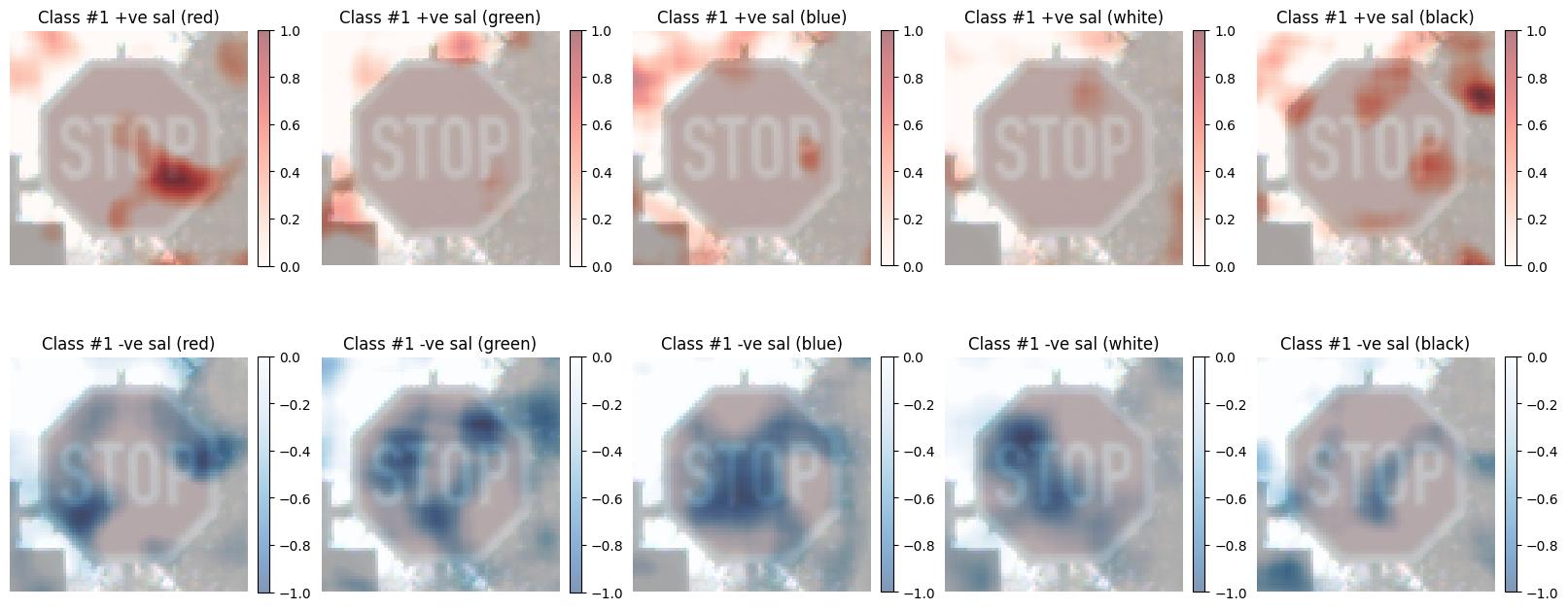
We apply the MC-RISE algorithm with 5 colors (red, green, blue, white and black) using the MCRISEStack implementation.
from xaitk_saliency.impls.gen_image_classifier_blackbox_sal.mc_rise import MCRISEStack

colors = {
    "red": [255, 0, 0],
    "green": [0, 255, 0],
    "blue": [0, 0, 255],
    "white": [255, 255, 255],
    "black": [0, 0, 0],
}

gen_rise_debiased = MCRISEStack(1000, 8, 0.5, fill_colors=list(colors.values()), seed=0, threads=4)
Run the “Application”
app(
    test_image_filename,
    blackbox_classifier,
    gen_rise_debiased,
    colors.keys(),
)
Saliency maps: (5, 1, 75, 76)
Class 0 red saliency map range: [-0.9577963855670709, 1.0]
Class 0 green saliency map range: [-1.0, 0.7505524578654462]
Class 0 blue saliency map range: [-1.0, 0.9028794601007086]
Class 0 white saliency map range: [-1.0, 0.43338210200573707]
Class 0 black saliency map range: [-0.7162993764197221, 1.0]