SlidingRadial Perturber Tutorial
Introduction
This notebook will demonstrate how to use the SlidingRadial perturbation implementation.
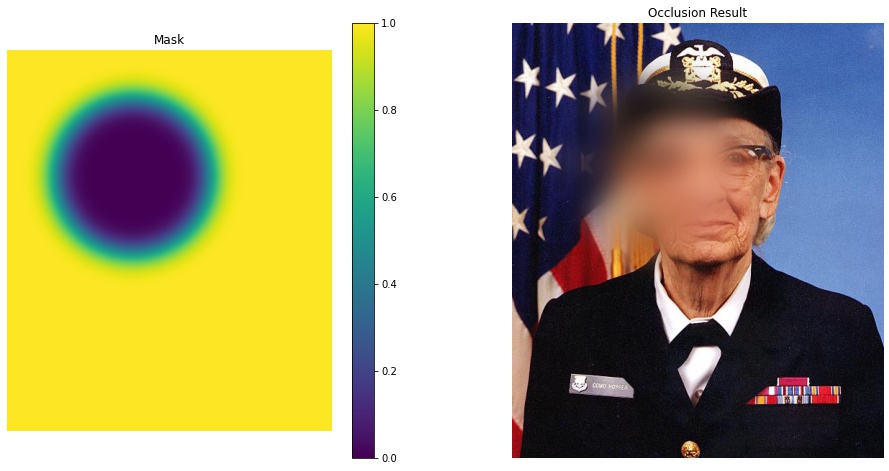
We will show applying a resulting mask to a reference image via the occlude_image_batch utility where the “fill” is a blurred version of the reference image for alpha blending.
This method of image perturbation is most notably used in this paper related to providing explanations in the reinforcement learning domain.
To run this notebook in Colab, use the link below:

Set Up Environment
Note for Colab users: after setting up the environment, you may need to “Restart Runtime” in order to resolve package version conflicts (see the README for more info).
import os
import sys  # noqa

# Python dependencies
!{sys.executable} -m pip install -qU pip
!{sys.executable} -m pip install -q xaitk-saliency

# Data dependencies
os.makedirs("data", exist_ok=True)
image_filepath = "data/Grace_Hopper.jpg"
![ ! -f "{image_filepath}" ] && wget \
https://upload.wikimedia.org/wikipedia/commons/5/55/Grace_Hopper.jpg -O {image_filepath}
# Setup our imports
import matplotlib.pyplot as plt
import numpy as np
import PIL.Image
from scipy.ndimage import gaussian_filter

from xaitk_saliency.impls.perturb_image.sliding_radial import SlidingRadial
from xaitk_saliency.utils.masking import occlude_image_batch

# Use JPEG format for inline visualizations here.
%config InlineBackend.figure_format = "jpeg"
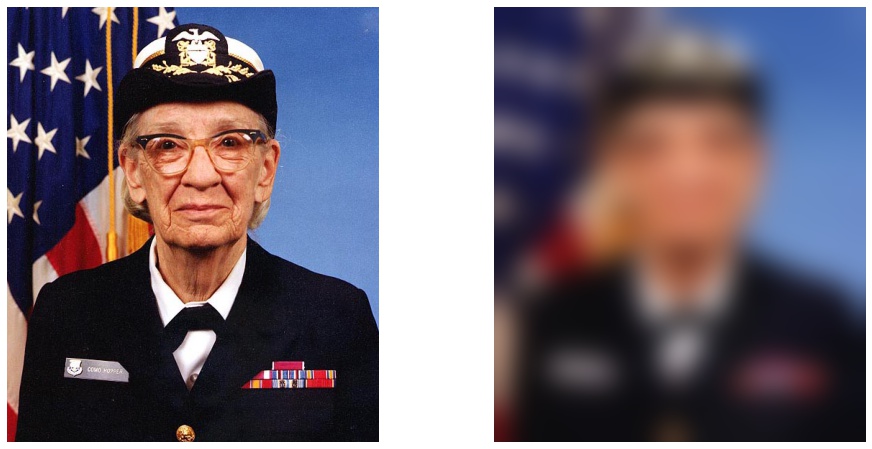
# Load the image as a matrix and blur it.

gh_mat = np.asarray(PIL.Image.open(image_filepath))

# Using a tuple sigma to prevent the kernel from venturing into the
# channel dimansion to maintain a color image.
gh_mat_blur = gaussian_filter(gh_mat, sigma=(20, 20, 0))

# Let's take a look!
plt.figure(figsize=(16, 8))

plt.subplot(1, 2, 1)
plt.axis(False)
plt.imshow(gh_mat)

plt.subplot(1, 2, 2)
plt.axis(False)
plt.imshow(gh_mat_blur)

pass  # reduce cell output
# Larger values for sigma take increasingly longer processing times.
# Something belonging to scipy's gaussian_filter.
masks = SlidingRadial(radius=(125, 125), stride=[200, 200], sigma=(20, 20)).perturb(gh_mat)
masks.shape
(12, 606, 517)
idx = 4

# apply one mask to the image, with blurred-image alpha blending.
gh_rad_occ = occlude_image_batch(gh_mat, masks[None, idx], gh_mat_blur)[0]

# Display the mask and the result blended image.
plt.figure(figsize=(16, 8))

plt.subplot(1, 2, 1)
plt.title("Mask")
plt.axis(False)
plt.imshow(masks[idx], vmin=0, vmax=1)
plt.colorbar()

plt.subplot(1, 2, 2)
plt.title("Occlusion Result")
plt.axis(False)
plt.imshow(gh_rad_occ)

pass  # reduce cell output